After developing the app My Own Daily Record (iOS App)…
하늘흐늘2025. 10. 17. 21:00
반응형
After a long time, I have newly released My Own Daily Record. This app is the second in my “My Own” series for iOS. While My Own Project focuses on personal project management, My Own Daily Record is designed to record daily life and analyze personal patterns. Let me introduce this app based on the principles I followed when I first designed it.
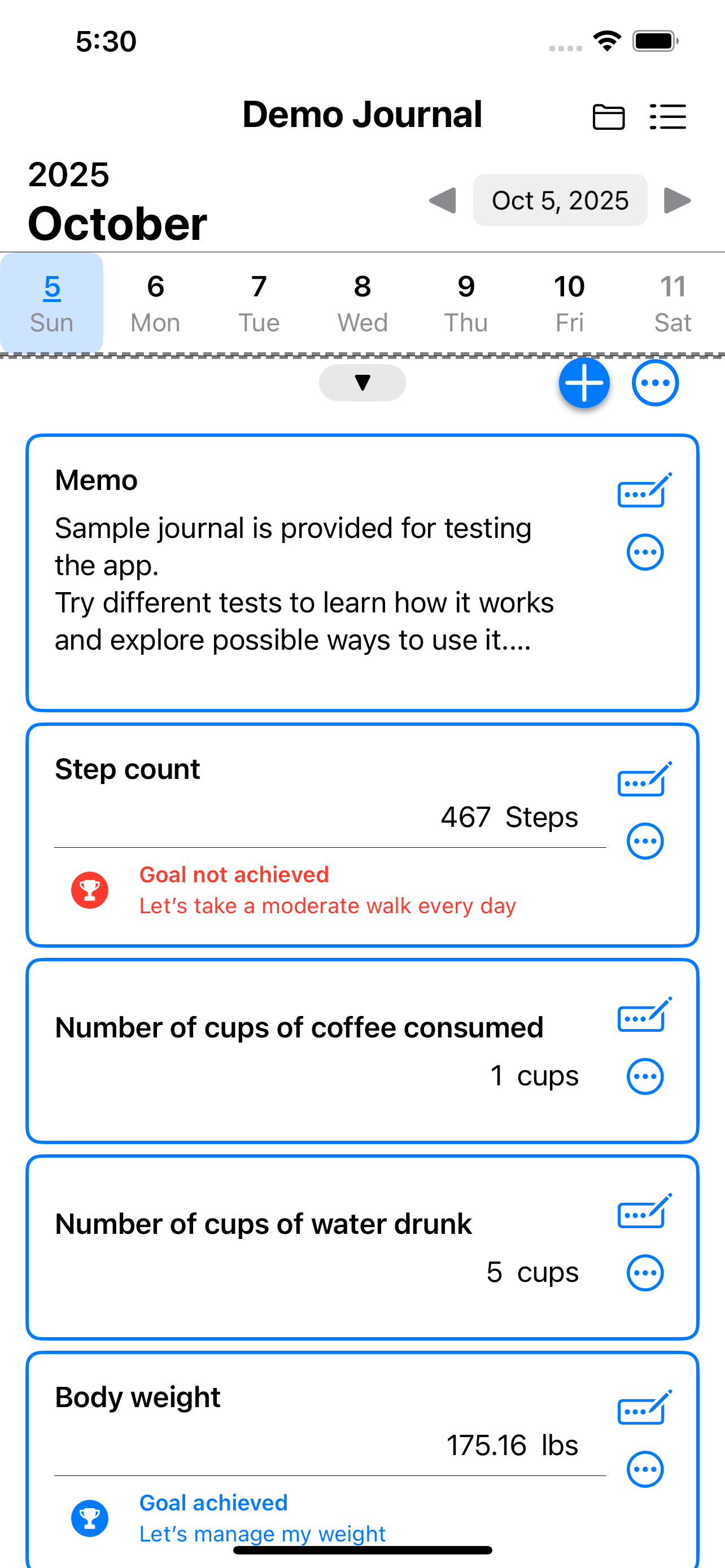
The core design philosophy of My Own Daily Record is to record your day not through text or photos, but through data. Following this principle, the app allows you to create an unlimited number of custom items based on five fundamental types — Memo, Check, Number, Decimal Number, and Time — to record every aspect of your day. What sets it apart from other apps is its focus on the rational side of daily life — capturing data — rather than the emotional side expressed through writing or images. Of course, since it also supports the Memo type, you can still write down your thoughts easily, just like in other journaling apps.
The second design philosophy is that everything is recorded on a daily basis. This principle is most clearly reflected in how usage time is measured — when the tracked time goes beyond a single day, it is automatically split into separate daily records. Additionally, if you measure usage time more than once in a day, the new measurement is added to the existing one, rather than recorded separately. Although all data is stored based on a one-day unit, you can still create additional items if you wish to divide your records into multiple parts within the same day.
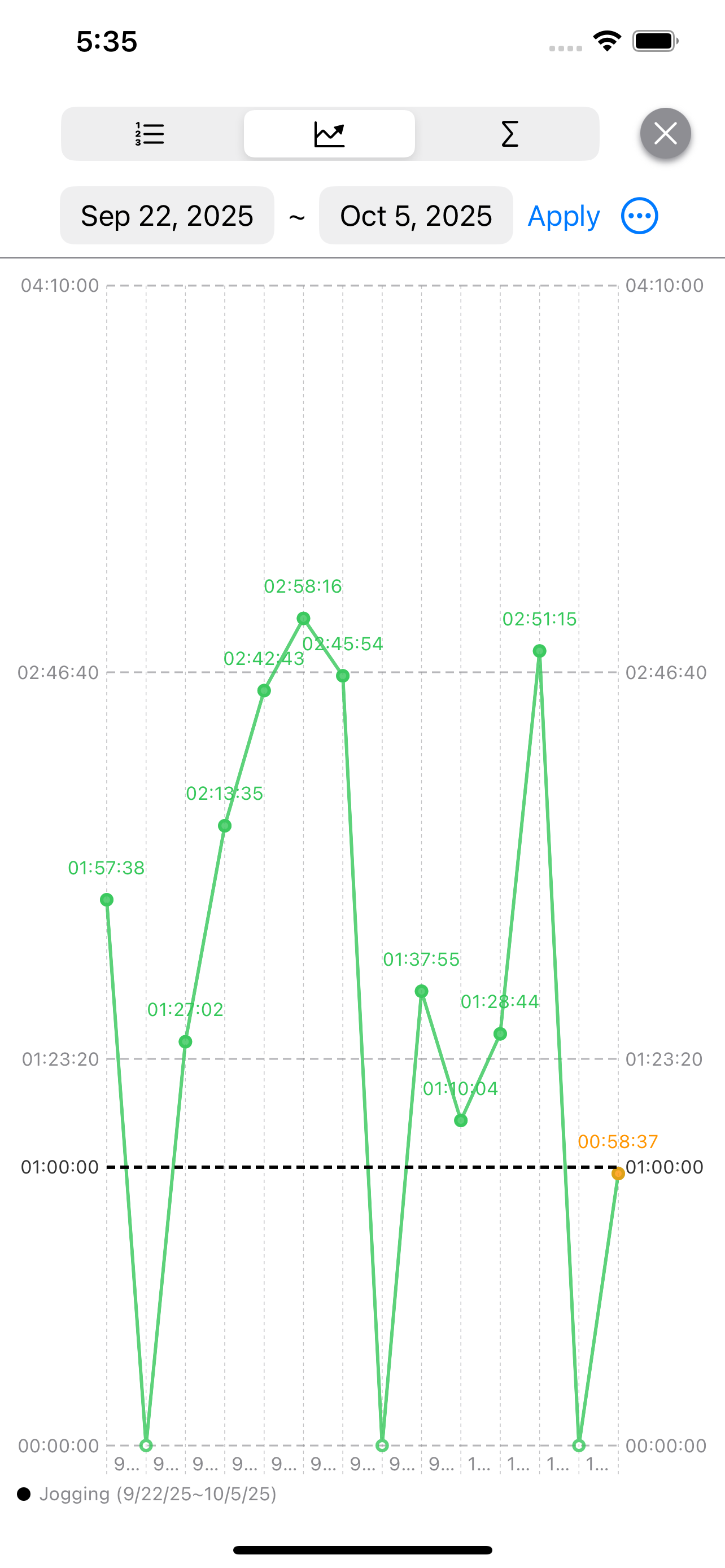
The third design philosophy is to make the most of the recorded data. This is also the reason why each day is recorded as data — the goal is to analyze it and reflect on your own life. In the sample journal shown when you first install the app, for example, the jogging time record lets you compare how your activity has changed over a specific period. You can also compare the time spent jogging with the time spent on muscle training. In this way, you can visually review your daily records through charts, and sometimes analyze or reflect on them by comparing different time periods or activity types. Although the examples here use exercise, this approach can also be useful for students or exam takers, helping them see how much time they actually spend studying specific subjects.
The fourth design philosophy is to help users plan for a better tomorrow based on their recorded data. This is what sets it apart from traditional time management apps. Rather than simply checking whether you met a daily goal — such as spending a certain number of hours on an activity — this app focuses on recording the actual time spent and using that data to help you plan ahead. The app’s goal-related features allow you to track these goals on a daily basis, staying grounded in your real activity data rather than abstract targets.
The fifth design philosophy is flexibility — the ability to record and analyze a wide variety of data. This app features a UI optimized for five different data types, each designed to make recording effortless and meaningful. For example, the “Number” type can be used as a simple counter. You can easily record things like the number of cigarettes smoked per day while trying to quit smoking. For Number or Decimal Numeric types, you can also enter custom units, allowing you to visualize your data in the way that best fits your needs. The “Check” type, on the other hand, is perfect for tracking daily habits — such as whether you read a book today. Using this data, you can review how consistently you’ve been maintaining your desired habits over time.
As we have seen, this app allows you to record and analyze your day using a variety of data, but it can also be used for any kind of daily data tracking. You can create multiple journals as needed, managing and organizing your records by type or category.
Just like My Own Project, this app will continue to receive regular updates in the future. Our goal is to create an app that provides as many analytical charts as possible with minimal recording, making it truly useful for users. Recording data may feel a bit tedious at first, but if done consistently as a habit, it allows you to view your past history at a glance. By analyzing patterns across various types of data, the app also helps you plan for a better tomorrow. It is designed to be especially useful for those who want to record and reflect on themselves rationally and objectively, rather than emotionally.